
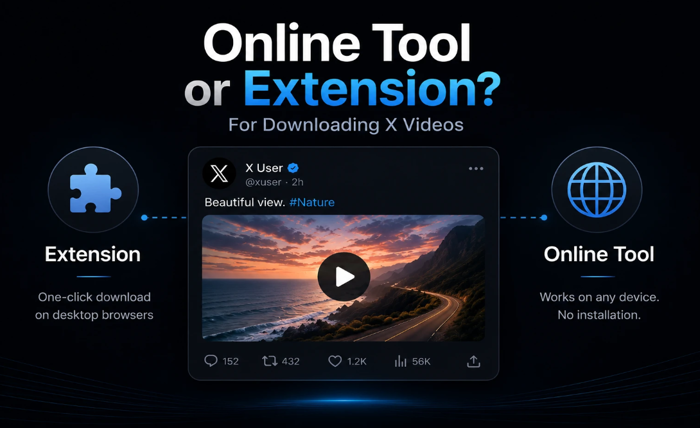
When you want to save a video from X, you have two main options: use an online tool (paste a link, get a file), or install a browser extension that detects and downloads videos automatically as you browse.
Both work. But they work very differently, and each has real tradeoffs. The “better” option depends entirely on how you use X and what you’re willing to deal with.
This is an honest comparison — what each approach does well, where each one falls short, and when to use which.
How Each Approach Works
Online X video downloaders (like sssx.io) are websites you visit when you want to download a specific video. You copy the tweet URL, paste it into the tool, and download the file. No installation required. Works on any device with a browser — including iPhone, where extensions aren’t really an option.
Browser extensions install into Chrome or Firefox and sit in your toolbar. When you’re on a page with a video, the extension detects it and adds a download button — sometimes directly on the video, sometimes via the extension popup. You don’t need to copy and paste anything.
The core difference: online tools are on-demand, extensions are always-on.
Where Browser Extensions Fall Short for X
Extensions sound convenient, but they come with issues that matter specifically for X users.
They don’t work on mobile. Chrome and Firefox on iPhone don’t support extensions the same way desktop browsers do. Safari extensions exist but are limited. If you mostly use X on your phone — which is the majority of users — extensions are essentially not an option.
They require permissions you may not want to grant. Browser extensions need access to everything you do in that browser — every page you visit, every login, every form you fill out. For a tool whose only job is downloading X videos, that’s a significant permission to hand over.
They break when X updates. X periodically changes how its video player works. When that happens, extensions stop working until their developer pushes an update — which can take days or weeks. Online tools typically adapt faster because the update happens server-side.
Chrome purged many of them in 2025. Google removed a significant number of video downloader extensions from the Chrome Web Store in 2025. Extensions that worked reliably a year ago may no longer be available or functional.
They can be removed without notice. If Google decides an extension violates its policies, it disappears from your browser on the next update. You can’t plan around a tool that might not be there tomorrow.
Where Online X Downloaders Fall Short
To be fair, online tools have their own limitations.
You have to switch context. You’re on X, you see a video, you want it — but you have to copy the link, open a new tab, go to the downloader, paste the link. That’s four steps instead of one click. If you download dozens of videos a day, this adds up.
No automatic detection. The tool doesn’t know what you’re watching. You have to actively identify the video and copy the link manually every time.
Quality depends on the tool. Some online downloaders compress the video before delivery, add watermarks, or only offer low-resolution files. The tool matters.
Which Is Actually Better for Most X Users?
For the majority of people, an xvideo downloader online tool wins on three factors that matter most:
Works on iPhone and Android. The single biggest limitation of extensions is mobile. sssx.io works identically on Safari, Chrome for Android, Firefox, and any other browser on any device. No desktop required.
No installation or permissions. You don’t give sssx.io access to your browsing history, saved passwords, or anything else. You paste a link, get a file, and that’s the entire interaction.
Reliable when X changes things. When X updates its video infrastructure, server-side tools adapt without requiring you to update anything on your end.
Extensions make more sense if you’re a power user on desktop who downloads many videos per session and values the one-click workflow. For everyone else — especially mobile users — the paste-and-download approach is cleaner.
How to Use sssx.io as Your X Video Downloader
Step 1: Find the video on X, tap/click Share → Copy link
Step 2: Open sssx.io in any browser, paste the link, press Download
Step 3: Select the highest quality option (720p or 1080p) and save
The file downloads as MP4 directly to your device — no watermark, no account required, no limits on how many videos you download.
Works on iPhone (Safari), Android (Chrome/Firefox), and desktop.
Side-by-Side Comparison
| Online tool (sssx.io) | Browser extension | |
|---|---|---|
| Works on iPhone | ✓ | ✗ |
| Works on Android | ✓ | Limited |
| Requires installation | No | Yes |
| Requires permissions | No | Yes (broad access) |
| Survives X updates | Usually faster | Depends on developer |
| One-click download | No (paste required) | Yes |
| Risk of removal | None | Extension can be removed |
| Watermark on video | None | Varies by extension |
| Free | Yes | Usually free tier |
FAQ
Can I use a browser extension on iPhone? Not effectively. iOS limits extension support significantly, and the extensions that do exist for Safari have very limited functionality compared to desktop extensions.
Is sssx.io safe to use? Yes. sssx.io doesn’t ask for your X credentials, doesn’t store your download history, and doesn’t require installing anything on your device. The file streams from X’s servers directly to you.
What if I want to use both? That’s fine. Some users keep sssx.io bookmarked for mobile and use an extension on desktop. There’s no reason you can’t use both depending on context.
Does sssx.io work as a twitter video downloader for older twitter.com links? Yes. sssx.io handles both x.com and twitter.com URLs — the platform changed its domain but both link formats still work.
Can I download GIFs and audio too? Yes. sssx.io supports GIF downloads from X, and offers a dedicated audio extraction tool at sssx.io/twitter-to-mp3 for MP3 downloads.