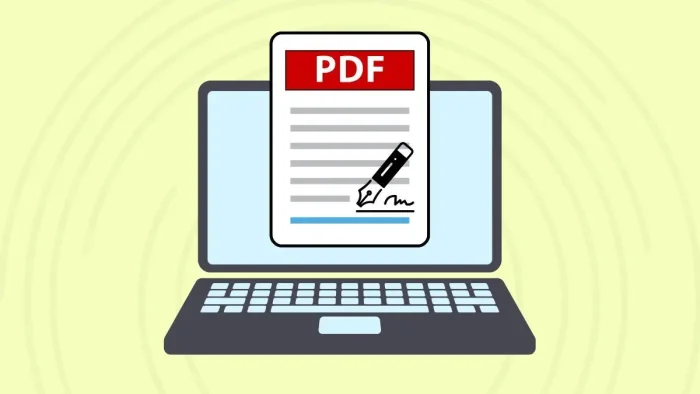
Electronic signatures have become routine in both professional and personal document workflows. Employment forms, rental agreements, tax documents, and service contracts increasingly arrive in PDF format, requiring recipients to sign and return them digitally. PDF signing tools simplify this process by allowing users to apply a signature without printing or scanning.
Tools in this category vary in scope. Some focus solely on inserting a personal signature into an existing document, while others include broader features such as form filling, document storage, identity verification, and workflow tracking. Ease of use is especially important for individuals who sign documents occasionally rather than managing formal approval chains.
For most users, Adobe Acrobat represents the most broadly suitable option. It balances straightforward signing tools with reliable document handling and cross-platform access, making it appropriate for both one-time signatures and recurring administrative needs.
Best PDF Signing Tool for Broad Compatibility
Adobe Acrobat
A cross-platform PDF platform offering integrated signing and document editing tools.
Overview
Platforms supported: Web, Windows, macOS, iOS, Android
Pricing model: Free online signing tool with optional subscription plans
Tool type: Integrated PDF editor and signing platform
Strengths
- Add a typed, drawn, or uploaded signature
- Place signature anywhere within a PDF
- Fill out forms before signing
- Save signed documents securely
- Works across desktop and mobile devices
Limitations
- Advanced document management features require subscription
- Identity verification tools vary by plan
Editorial summary
Adobe Acrobat is suited to individuals who need to sign documents quickly while maintaining compatibility with widely used PDF standards. Its interface supports uploading a file, creating a signature, and placing it within the document without additional formatting steps.
Users can access Adobe Acrobat’s online signature tool to apply their own electronic signature directly to a PDF.
Compared with lighter utilities, Acrobat integrates signing with editing, page organization, and document protection features, offering flexibility beyond basic signature placement.
Best PDF Signing Tool for Quick Online Use
Smallpdf
A browser-based PDF utility offering basic signing functionality.
Overview
Platforms supported: Web
Pricing model: Free tier with usage limits; subscription plans available
Tool type: Online PDF utility
Strengths
- Upload and sign documents without installation
- Create a simple typed or drawn signature
- Combine with compression or editing tools
- Minimal learning curve
Limitations
- Usage limits in free tier
- Limited advanced form controls
Editorial summary
Smallpdf is appropriate for occasional signing tasks where speed and simplicity are priorities. It focuses on core signing functions rather than extended document management.
Compared with Acrobat, it offers fewer integrated features but remains suitable for straightforward personal use.
Best PDF Signing Tool for Cloud Storage Integration
Dropbox Sign
An e-signature platform connected to cloud-based file storage.
Overview
Platforms supported: Web
Pricing model: Free tier; subscription plans available
Tool type: E-signature and document platform
Strengths
- Sign documents stored in cloud folders
- Save signed versions automatically
- Basic audit trail features
- Simple interface for individual users
Limitations
- Advanced compliance tools require paid plans
- Interface oriented toward signature requests rather than personal signing only
Editorial summary
Dropbox Sign is suitable for users who manage documents within shared cloud storage and prefer integrated signing capabilities.
Compared with Acrobat, it emphasizes storage workflows more than full PDF editing.
Best PDF Signing Tool for Office Suite Integration
Nitro PDF Pro
A desktop PDF editor with built-in signing tools.
Overview
Platforms supported: Windows, macOS
Pricing model: Paid license with trial option
Tool type: Desktop PDF editor
Strengths
- Add digital signatures to PDFs
- Combine signing with annotation tools
- Offline processing
- Security and encryption options
Limitations
- Requires installation
- Paid license for continued use
Editorial summary
Nitro PDF Pro is suited to professionals working primarily in desktop office environments. It supports signing within a broader editing workflow.
Compared with Acrobat’s web accessibility, Nitro focuses more heavily on installed software.
Best PDF Signing Tool for Open-Source Environments
LibreOffice Draw
A free office suite component capable of editing and signing PDF files.
Overview
Platforms supported: Windows, macOS, Linux
Pricing model: Free and open-source
Tool type: Desktop document editor
Strengths
- Open PDF files for editing
- Insert image-based signatures
- Offline functionality
- No subscription cost
Limitations
- Less streamlined signing interface
- May alter complex formatting in certain PDFs
Editorial summary
LibreOffice Draw is appropriate for users who prefer open-source tools and do not require advanced signature validation features. It allows image-based signature placement within PDFs.
Compared with Acrobat, it offers fewer specialized signing controls but remains viable for basic needs.
Personal Signing Within the Broader Document Process
Adding a personal electronic signature is often the final step in a document’s lifecycle. Drafting, editing, and review typically occur before the recipient applies a signature and returns the file.
In many workplaces, communication and document exchange may take place within collaboration tools such as Microsoft 365 Business pricing, where files are shared and discussed before signature. These platforms support file management and coordination but do not replace dedicated PDF signing tools.
Within this broader context, PDF signing utilities serve as the execution layer, enabling individuals to formally complete agreements without leaving digital workflows.
Best PDF Signing Tools: FAQs
Is adding an electronic signature the same as requesting one?
No. Adding a signature means signing a document personally. Requesting a signature involves sending the document to another party for signing.
Are electronically signed PDFs legally valid?
In many jurisdictions, electronic signatures are legally recognized when they meet regulatory standards for authentication and consent.
Can a signature be reused?
Most tools allow users to save a signature for repeated use across multiple documents.
Do PDF signing tools change document formatting?
Basic signing tools typically overlay a signature without altering the underlying layout. However, editing-focused tools may allow broader modifications.